Software Clever

Product Save & Sync

Copy products between Shopify stores — variants, images, metafields intact.

One click. Full fidelity. No CSVs, no multi-step imports, no data engineer required.

Export, same-store restore, same-store duplicate, cross-store copy via Sync, and offline import from a saved ZIP are all live today.

Watch the full walkthrough.

What gets copied

Every piece attached.

A Shopify product isn't just a row in a table. Product Save & Sync treats it like the complex object it is, with every piece attached.

  • Variants & SKUs

    Every option, every SKU, every price, plus tax settings, weight, country of origin, HS tariff codes and inventory policy.

  • Media

    Images, videos and 3D models as original files, downloaded and included. YouTube and Vimeo embeds save the link; the video stays on the host.

  • Files in metafields

    File-type metafield values bring the referenced file (PDFs, spreadsheets, anything a merchant has attached) along with the snapshot.

  • Custom theme templates

    The template file itself (e.g. product.pre-order.json) is saved and restored alongside the assignment. The default product.json that ships with every theme is deliberately excluded.

  • Handles

    Kept exactly as-is, so URLs don't change.

  • SEO fields

    Page title, meta description, URL handle, product category.

  • Metafields

    Values and definitions. Every namespace the app has scope for, including private metafields; the schema itself (names, types, validation rules, access settings) travels with the snapshot, not just the values.

  • Metaobjects

    Instances and definitions. References from product metafields are followed and resolved on the target.

  • Collections

    Membership preserved by handle; full collection details captured too (title, description, image, SEO, sort order, smart-collection rules).

  • Inventory

    Stock levels at every location, including deactivated and legacy locations; plus item-level country of origin, HS tariff codes and unit cost.

  • Tags

    Every tag.

  • Sales channel assignments

    Where the product is published.

  • Selling plans

    Product associations and the plans themselves (billing and delivery policies, plan names). The third-party subscription app's own UI config is not recreated.

Handles and SKUs stay exactly as-is across the copy.

Three modes

Three separate operations, each doing a specific job.

Restore, Duplicate and cross-store copy via Sync — pick the right mode for the job.

Restore

Revert a product on the same store it came from.

Useful after a bad bulk edit, a rogue CSV import, or an accidental delete. Matched by Shopify product ID: updated if it still exists, recreated if it's been deleted. Every change is listed in a per-resource preview before anything runs, so you review and approve the set first. Full reconciliation — extra variants removed, extra metafields cleaned up, inventory zeroed at locations not in the export.
Duplicate

Create a copy of a product on the same store.

Useful as a starting point for a variation, or for building product templates. Always a new product; shared resources like collections and metaobjects are matched and reused rather than updated. Purely additive — nothing else on the store is touched.

Sync

Cross-store copy that keeps two stores in step.

Products matched by handle, variants matched by SKU within each matched product (Shopify IDs don't transfer between stores). If a matching product exists it is updated; if not, it is created with the original handle. Metaobjects are matched by handle or created as needed. Same per-resource preview before anything runs. Full reconciliation on the target — extra variants, channel assignments, inventory levels and collection memberships not in the source are cleaned up automatically. This is what solves the staging-store problem.

Sync overwrites matching products on the target. Products that only exist on the target are left alone.

Share tokens — no ZIP round-trip needed

Cross-store copy via Sync doesn't require you to download a ZIP and upload it on the other side. The source store generates a share token; you paste it on the destination store; the snapshot transfers directly between the two PSS installations. The same per-resource preview applies — every create, update, match and skip is listed before anything runs.

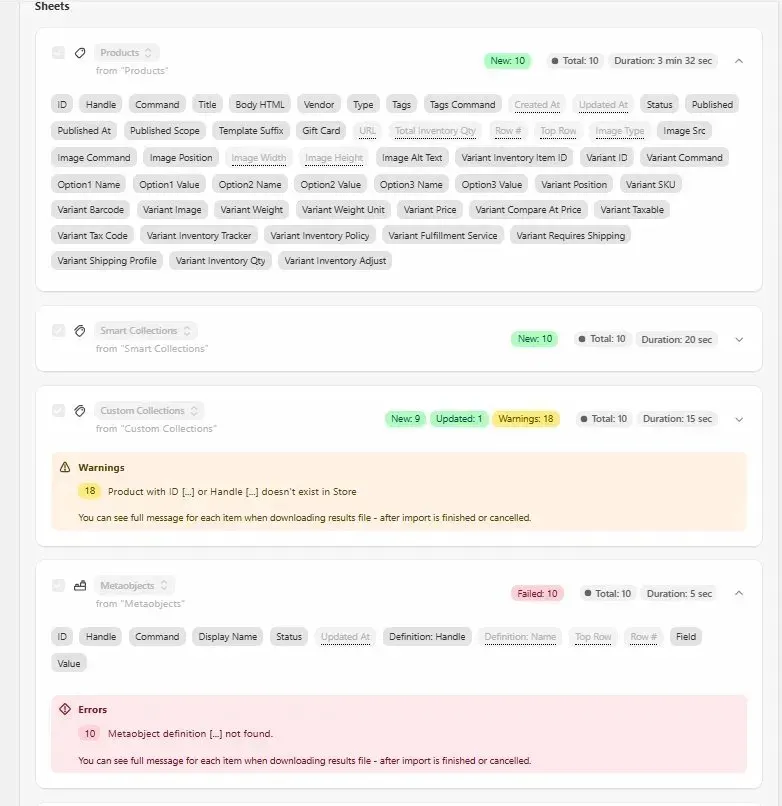
A detailed import summary afterwards shows exactly what was created, updated, matched or skipped on the target.

Snapshots

Snapshots stay on our servers — or yours.

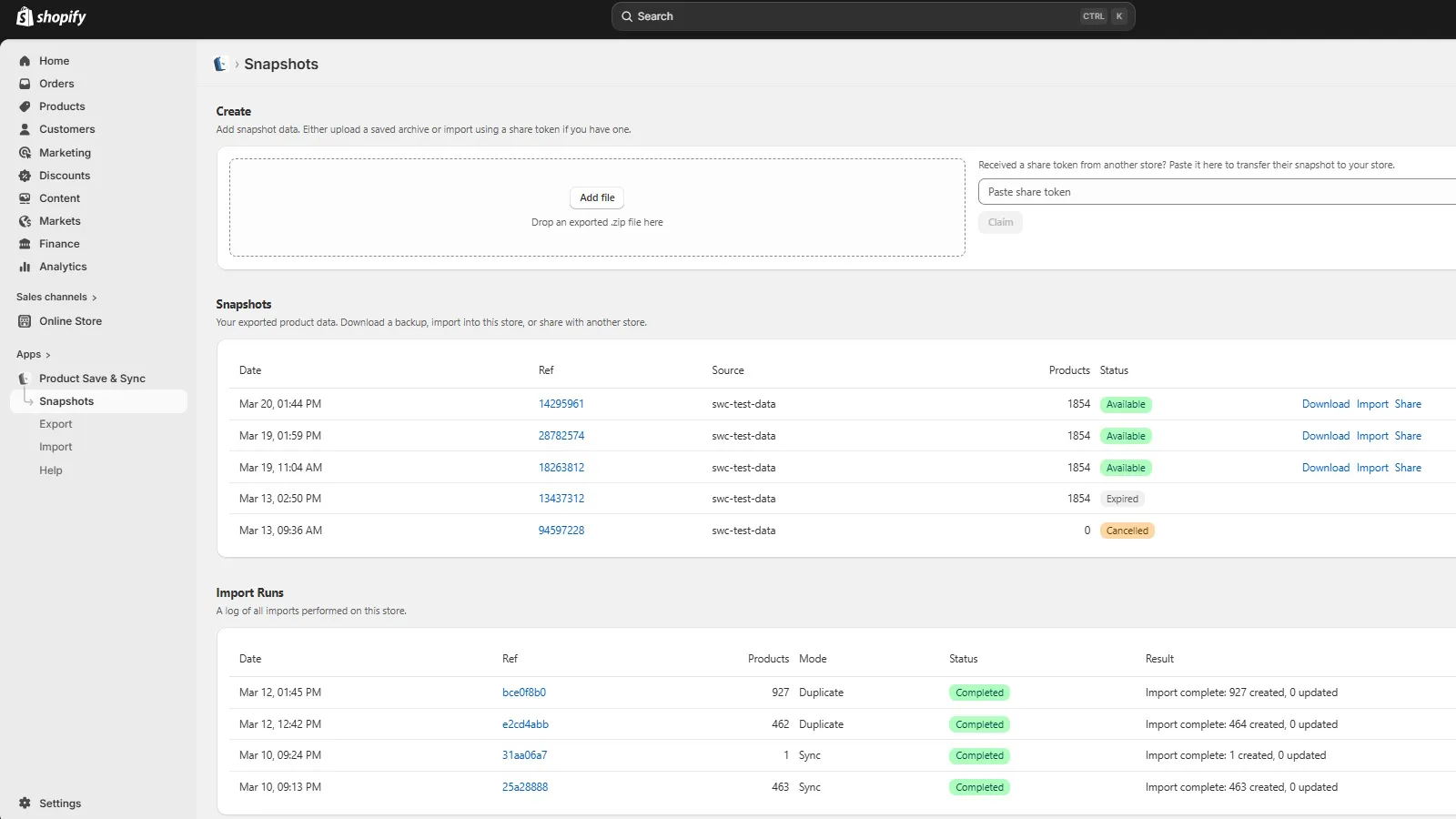
Every export creates a snapshot you can manage from the Snapshots page. Import it directly — to restore, duplicate, or copy across to another store — without downloading anything first. Download a ZIP for an offline copy. Share via token to transfer it to another store's PSS installation. Snapshots are encrypted at rest, isolated per store, and each downloaded ZIP is assembled on demand rather than kept on disk.

Copy one product, a collection, or your entire catalog

Why merchants use it

Five jobs it does without breaking sweat.

Launch a new Shopify store

Copy the catalogue from the live store to the new one in one pass. No CSV shuffling, no metafield remap.

Set up a staging store

A byte-identical working copy of production to test theme changes, app updates or bulk edits against.

Regional or rebrand storefront

Same catalogue, different domain or trading name. Copy once, maintain separately.

On-demand catalogue backup

A ZIP you keep. Run it before a risky bulk edit, a theme migration, or an app install that touches products.

Roll back after a bad update

A bulk edit goes sideways, a CSV overwrites the wrong column, or a product gets deleted by accident. Restore from a snapshot to put the product back exactly as it was — even if it's been deleted, in which case it's recreated from scratch.

How it works

Three steps. Nothing to configure.

  1. 01

    Install from the Shopify App Store

    On the source store, and the destination if you're syncing.

  2. 02

    Pick what to include

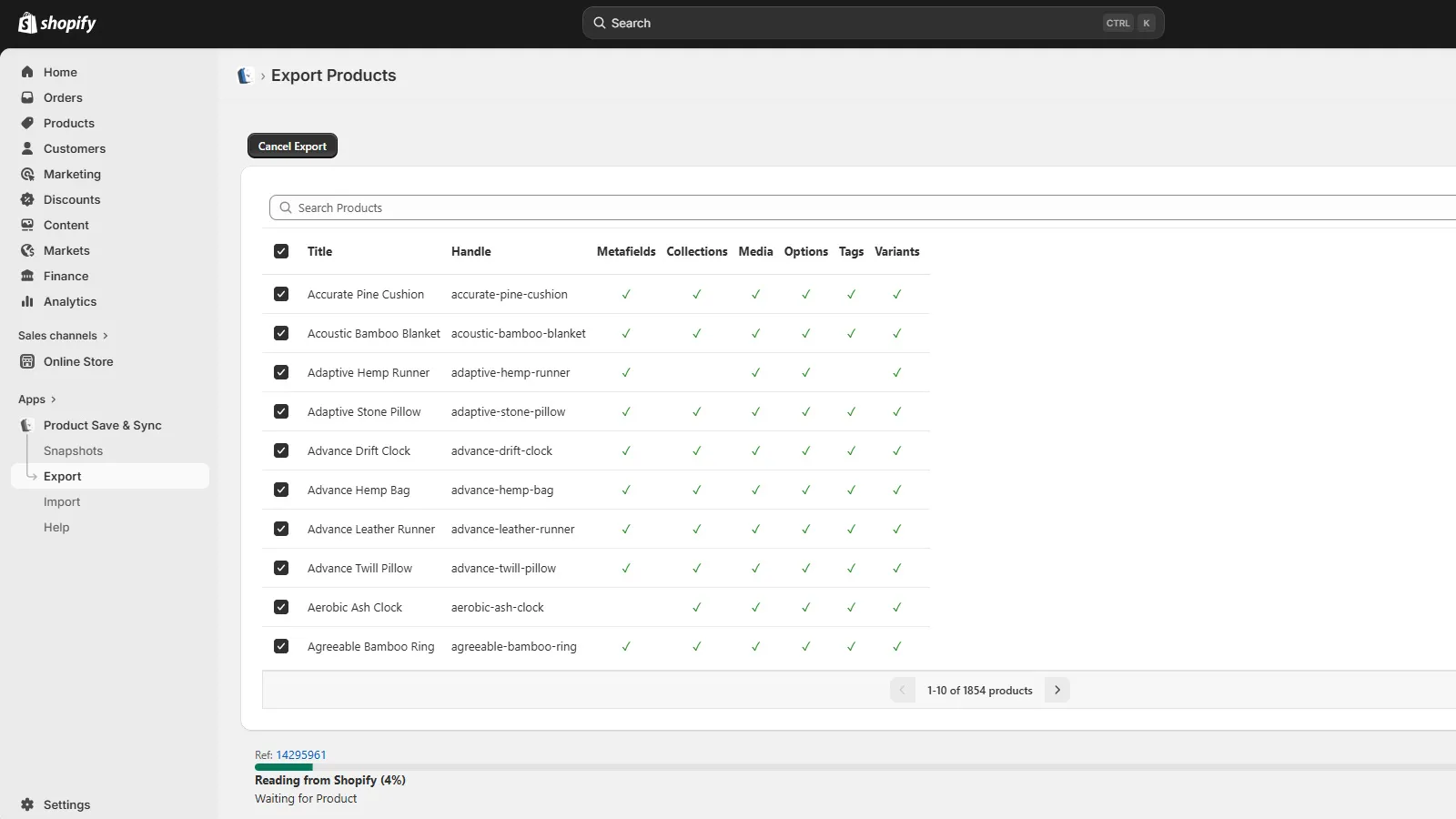
    One product, many products, or the whole catalogue. Filter and search supported.

  3. 03

    Copy, clone or back up

    Run a Restore, a Duplicate, a cross-store copy via Sync (share token), or download a ZIP for later.

Variants, images & metafields preserved in a single pass

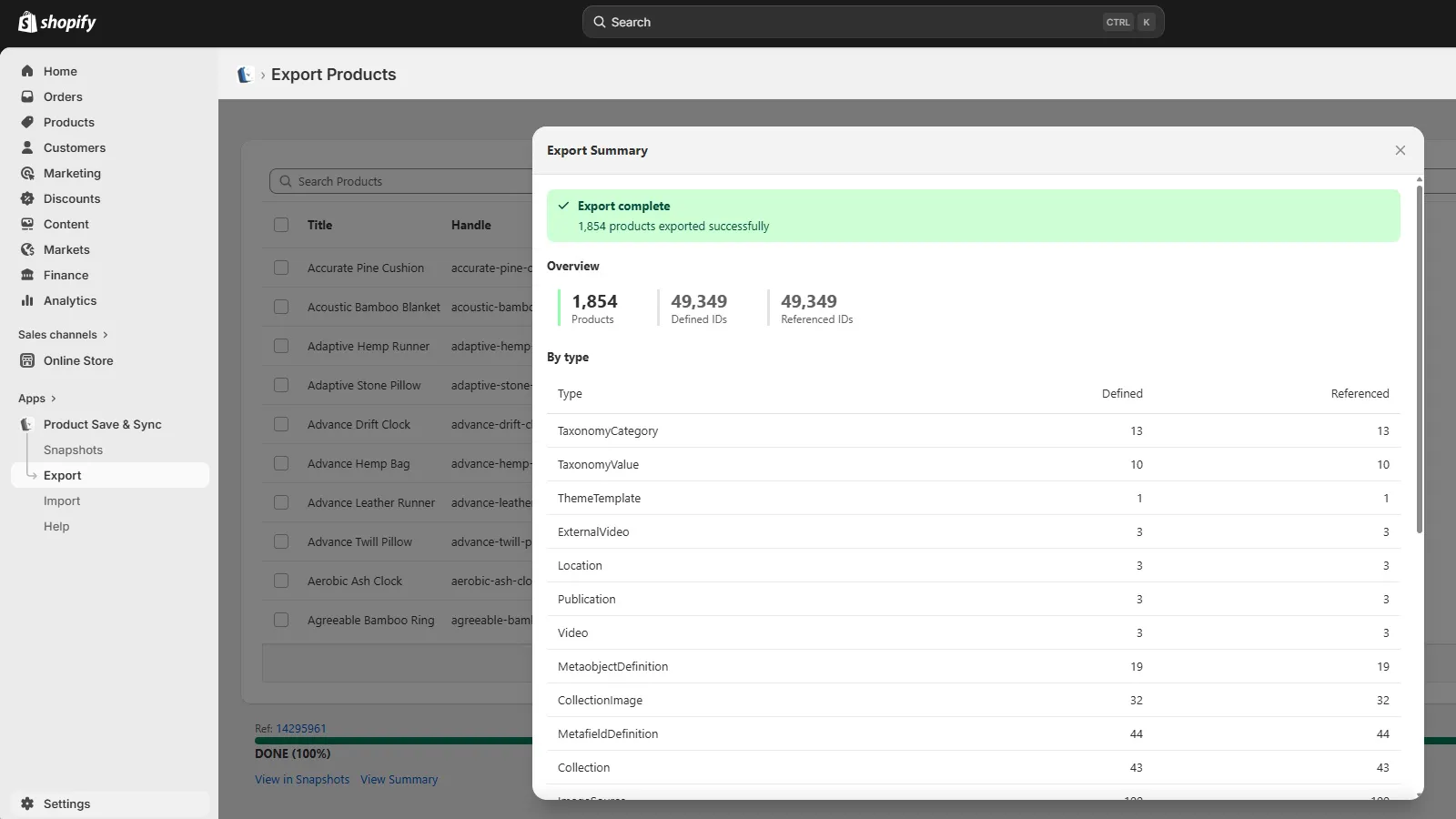
Processing runs on our servers. Real-time progress. Per-resource preview before any writes happen on the target. Per-product error logs if anything can't be reconciled. Detailed import summary at the end.

Pricing

Two plans. No hidden tiers, no per-seat pricing, no annual lock-in.

Restore, Duplicate and cross-store copy via Sync are in both.

Free Starter

Free

Full fidelity — no feature restrictions. Every field, metafield, metaobject and media file the paid plan handles is handled here. The difference is throughput, not capability.

  • Up to 5 products per import or export run
  • 20 products per day across all runs
  • 10-minute gap between runs
  • All modes included: Restore, Duplicate, Sync

Unlimited

Popular

$19 / month

  • No run-size limit
  • No daily cap
  • No cooldown between runs
  • Priority email support (~4h typical reply, UK business hours)
  • Cancel anytime — no annual lock-in
  • All modes included: Restore, Duplicate, Sync

Prices shown are current. Anyone who subscribes at a given price keeps that price for the life of their subscription — price rises only apply to new subscribers.

How we compare to Matrixify

Different jobs, different tools.

Matrixify is a strong tool for spreadsheet-shaped work. It was built for people who understand their store's data structure and want control over the whole process. Product Save & Sync was built for a narrower job: copying a product — intact. If metafields that reference metaobjects matter to you, our write-up on the Matrixify migration problem goes into the detail.

Matrixify metaobject import failure without definitions

Reviews

Verified Shopify App Store reviews.

Historic Newspapers · United Kingdom

18 days using the app · 13 April 2026

Finally a reliable way to keep staging and production in sync

Product Save & Sync has made keeping our staging store and live store in step genuinely painless. The cross-store Sync mode matches products by handle and variants by SKU, so it maps correctly to the target store even though Shopify IDs differ between stores.

Read the full review
Product Save & Sync has made keeping our staging store and live store in step genuinely painless. The cross-store Sync mode matches products by handle and variants by SKU, so it maps correctly to the target store even though Shopify IDs differ between stores. When a product doesn't exist yet, it's created with the original handle — no manual setup needed. What really sets it apart is how thoroughly it handles shared resources. Collections, metaobjects, metafield definitions, and selling plan associations are all synced across — and you get a per-resource preview to review and approve each change before anything runs. Full reconciliation means extra variants, channel assignments, inventory levels, and collection memberships not in the export are cleaned up automatically on the target. The share token system is a neat touch — generate a token on the source store, paste it on the destination, and the snapshot transfers directly. No downloading and re-uploading ZIP files between stores. The detailed import summary afterwards shows exactly what was created, updated, matched, or skipped, so you always know the state of the sync.

On Quiet Days · United Kingdom

4 months using the app · edited 27 March 2026

This app has saved us dozens of hours

We've tried every export/import app out there and they all fall short on metaobject relationships or just silently drop data. Product Save & Sync really does export everything needed to get our products back when disaster strikes.

Read the full review
We've tried every export/import app out there and they all fall short on metaobject relationships or just silently drop data. Product Save & Sync really does export everything needed to get our products back when disaster strikes. When I was in a panic after accidentally breaking a theme template their support were quick to respond and really helpful. I would have fallen apart without them. I honestly can't recommend them enough.

FAQ

Top questions, quick answers.

Can I copy products between two Shopify stores?
Yes. Install PSS on both stores, generate a share token on the source, paste it on the destination — the snapshot transfers directly between the two PSS installations with no ZIP round-trip. Products clone onto the target by handle, variants by SKU: updated if found, created with the original handle if not.
Does it handle metaobjects?
Yes — instances and definitions. References from product metafields are followed and resolved on the target. This is the piece generic export tools typically miss.
Does it work on Shopify Plus?
Yes. No Plus-specific features are gated — Shopify Plus product backup, restore and cross-store copy all work identically to the standard tier.

Help & support

We're here when you need us.

In-app help

Full capability documentation served from inside the app itself.

Open help centre

Support

Use Get Support in the Shopify admin app dropdown (next to Manage app and Review app) to open a direct conversation with us through Shopify.

Contact about something else